8 Healthcare Website Examples Worth Studying Before Your Next Redesign
Navigation, search, content authority, and accessibility decisions separate a good-looking healthcare website from one that performs.
 17 Min Read

A healthcare website shapes how patients, caregivers, referral partners, healthcare buyers, and prospective employees perceive an organization. The best healthcare websites don't simply look professional. They help people find information, build confidence, and take the next step.
We selected the websites below because each demonstrates a principle that contributes to long-term performance, from simplifying navigation and serving multiple audiences to improving accessibility and visibility in search and AI-generated results. As you review them, look beyond the design to the decisions that make each website effective.
Healthcare Websites That Set the Standard
1. athenahealth
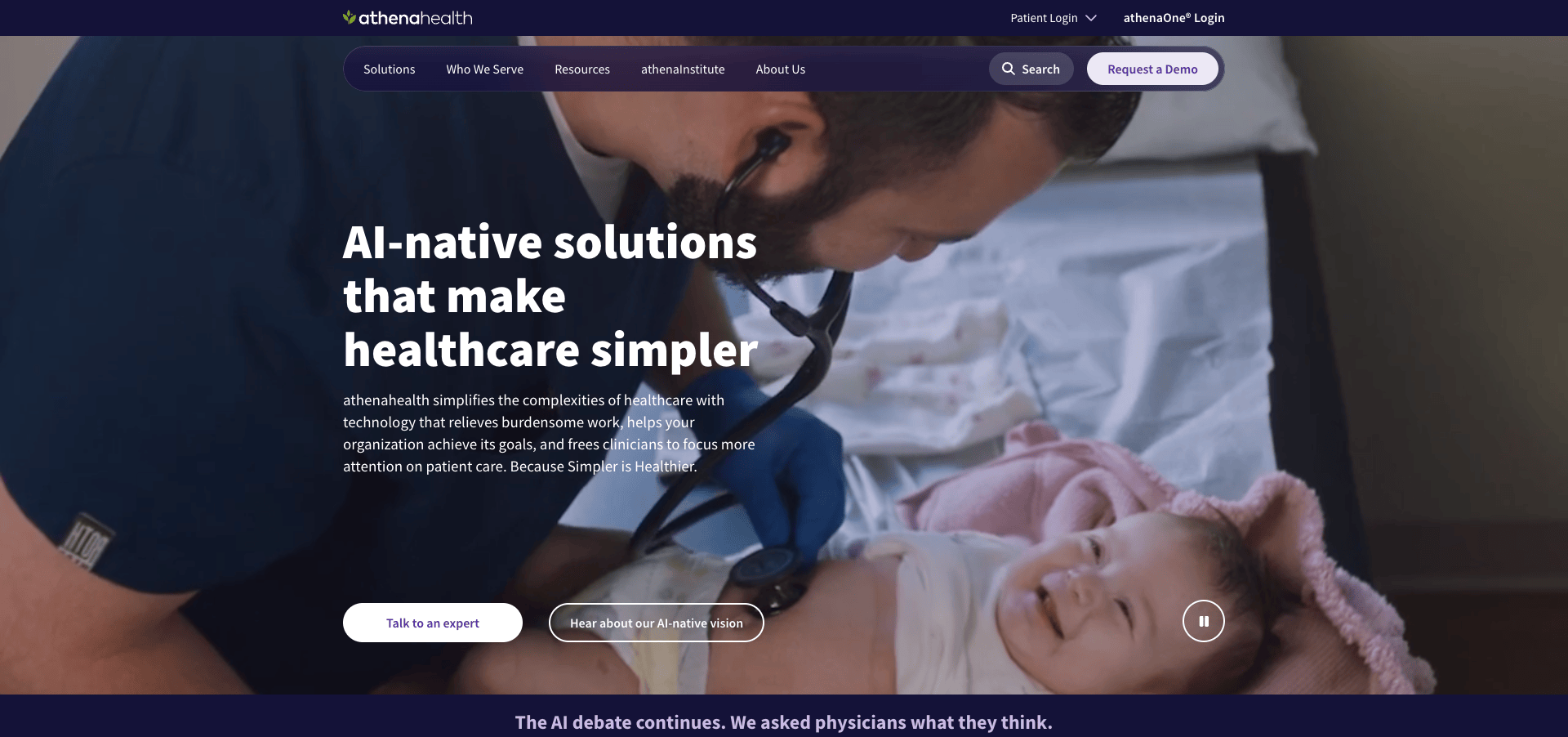
Navigation as a Prioritization Decision
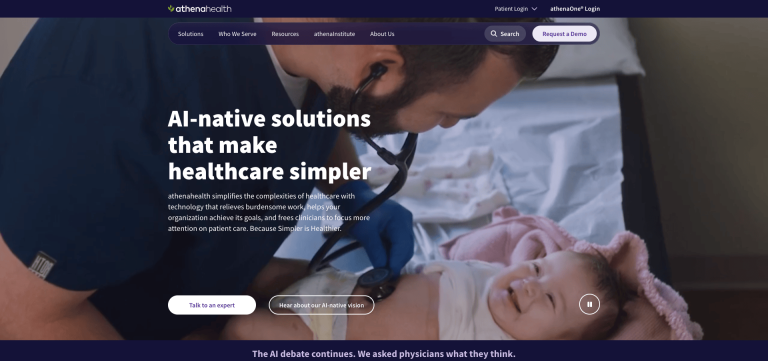
athenahealth uses a navigation structure that separates solutions, customer types, resources, and company information. Rather than crowding the menu with every possible destination, it directs visitors toward the categories most relevant to their goals.
Why It Works
Navigation reveals organizational priorities.
Every item in a primary navigation menu competes for attention. Yet menus often expand over time as stakeholders request visibility for additional services, initiatives, or departments.
The result can be a menu that reflects internal politics more than visitor needs.
athenahealth avoids that problem by showing restraint. Its navigation helps visitors quickly identify the right path without sorting through unnecessary choices.
What It Means for Your Site
If visitors have to decipher your organizational structure before they can find what they need, your website is making them do work it should be doing for them.
Clear navigation helps visitors understand where they belong within seconds.
Accessibility runs through every example in this article, from Johns Hopkins' organization-wide standards to the questions healthcare teams should be asking about their own sites. Before diving deeper, this Web Accessibility Checklist is a useful starting point for spotting the most common gaps.
2. Mayo Clinic
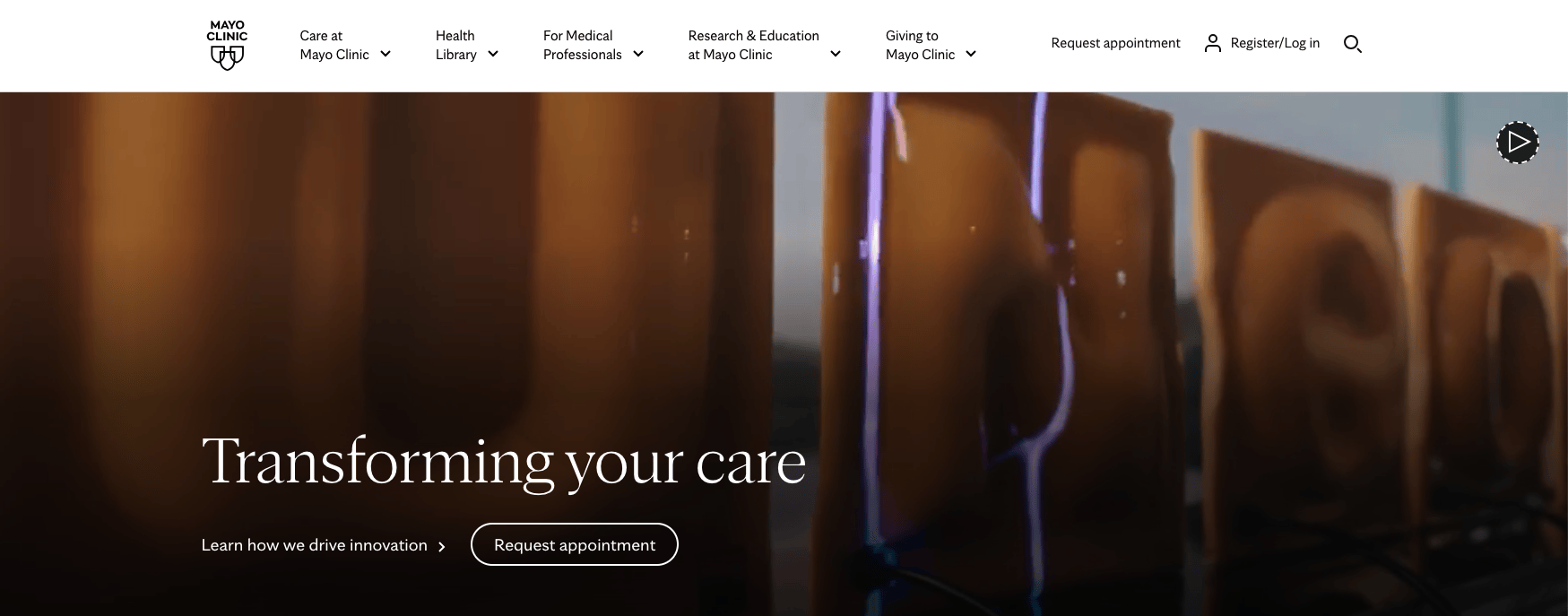
Search as a Primary UX Investment
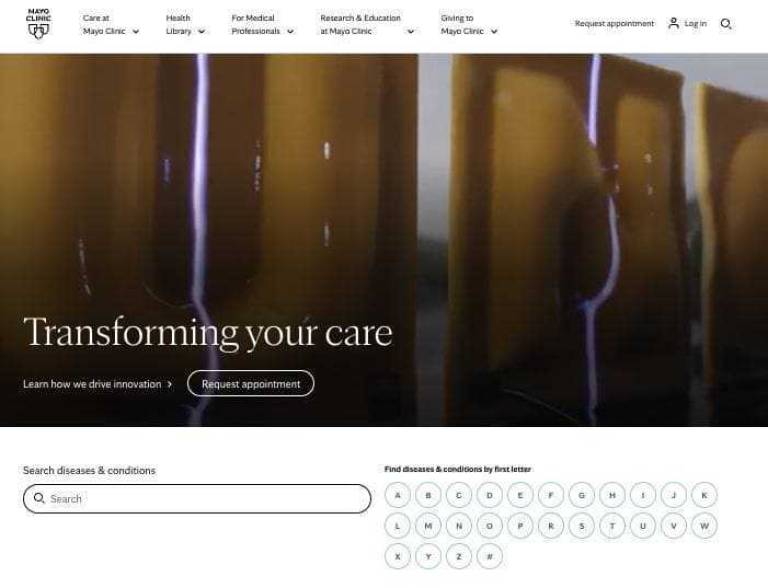
Mayo Clinic treats search as a core part of the user experience rather than a secondary utility. It is highly visible, intuitive, and designed to help visitors navigate an enormous content library.
Why It Works
As a content library grows, search becomes essential to its information architecture.
Healthcare organizations often accumulate thousands of pages covering conditions, treatments, services, locations, providers, and educational resources. Navigation alone cannot efficiently support that level of complexity.
Mayo Clinic recognizes that many visitors arrive with a specific question already in mind. Search typically provides the fastest path to an answer.
What It Means for Your Site
Visitors increasingly expect site search to work like the search engines they use every day.
If your content library is growing but search remains an afterthought, visitors may struggle to find information that already exists on your site.
| When visitors use our site search, how easily can they move from the results page to the information they actually need? |
3. Help at Home
Serving Multiple Audiences Without Losing Focus
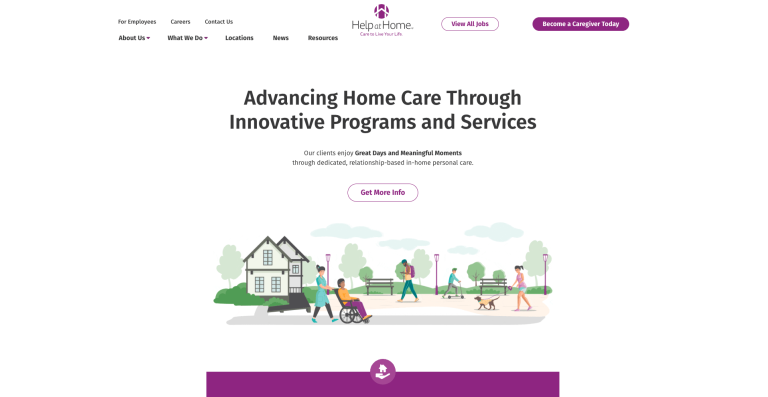
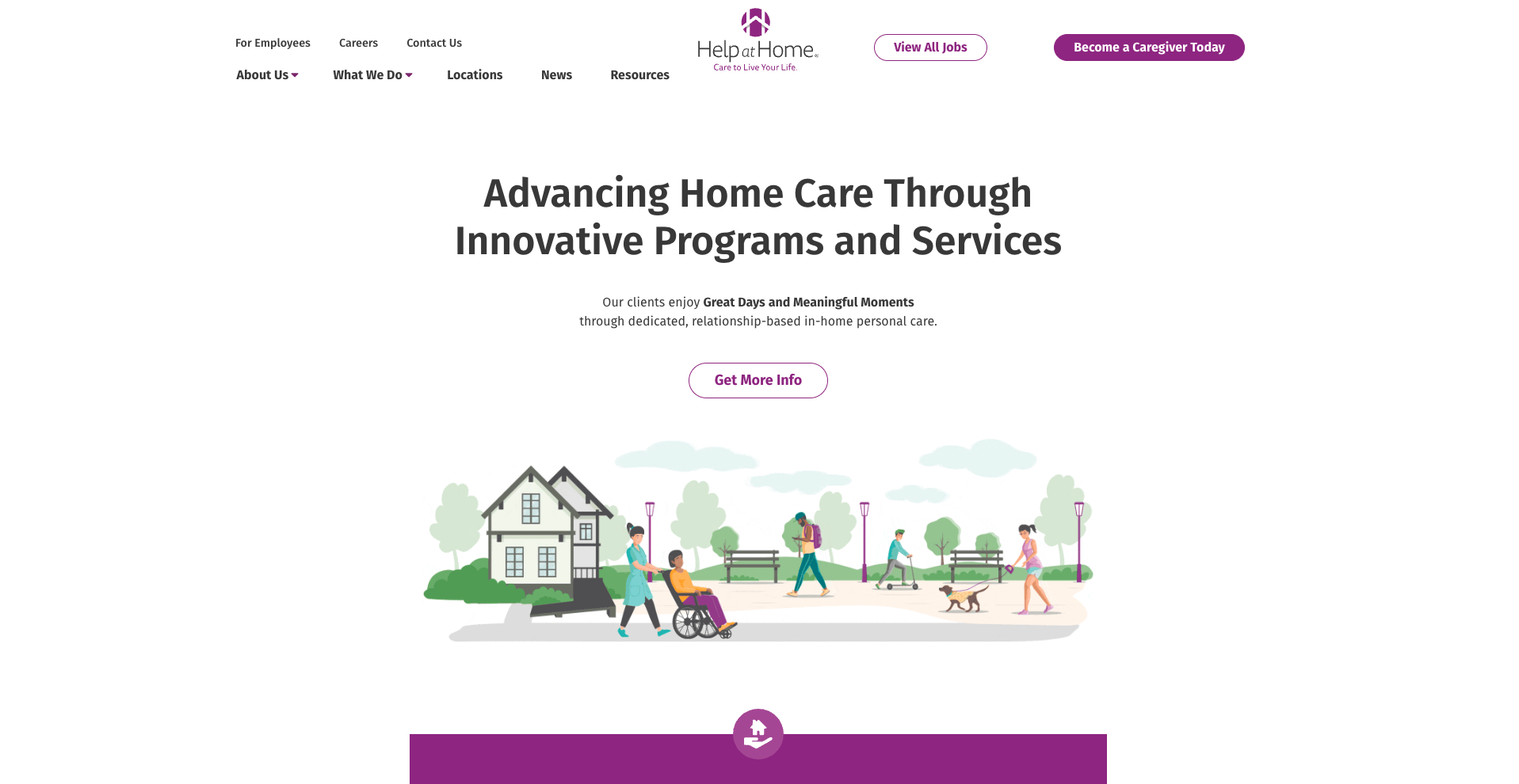
Help at Home serves clients, caregivers, family members, and referral sources through one website. The homepage provides audience-specific paths while using concrete proof points to reinforce the organization's scale, credibility, and mission.
DBS worked with Help at Home on its website redesign, giving us firsthand insight into the challenge of serving multiple audiences without fragmenting the site.
Why It Works
Many healthcare organizations face an audience-prioritization problem.
A home care provider needs to speak differently to a family seeking care than to a caregiver seeking employment. Both audiences are important, and both often arrive through the same homepage.
Help at Home creates clear paths while maintaining a unified brand experience. Statistics such as caregiver count, years of service, hours of care delivered, and long-term caregiver-client relationships provide evidence rather than unsupported marketing claims.
What It Means for Your Site
When every audience is treated as the primary audience, no audience feels prioritized.
Organizations serving multiple groups must design paths that help visitors quickly recognize where to go.
| If we had to prioritize one audience and one action on our homepage above all others, who would that audience be, and what would they do next? |
4. Maven Clinic
Authenticity as a Trust Signal
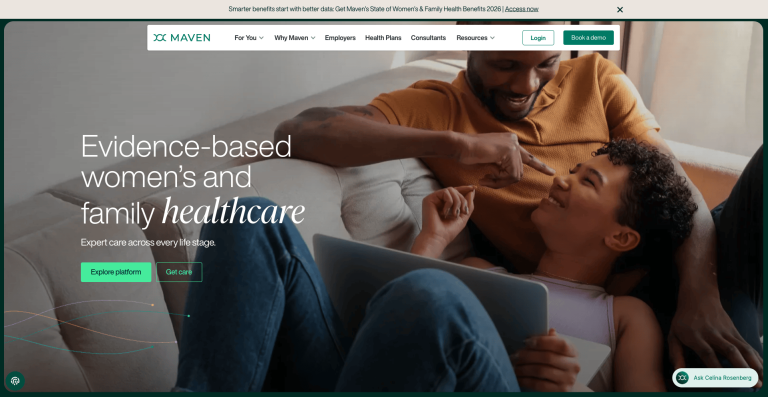
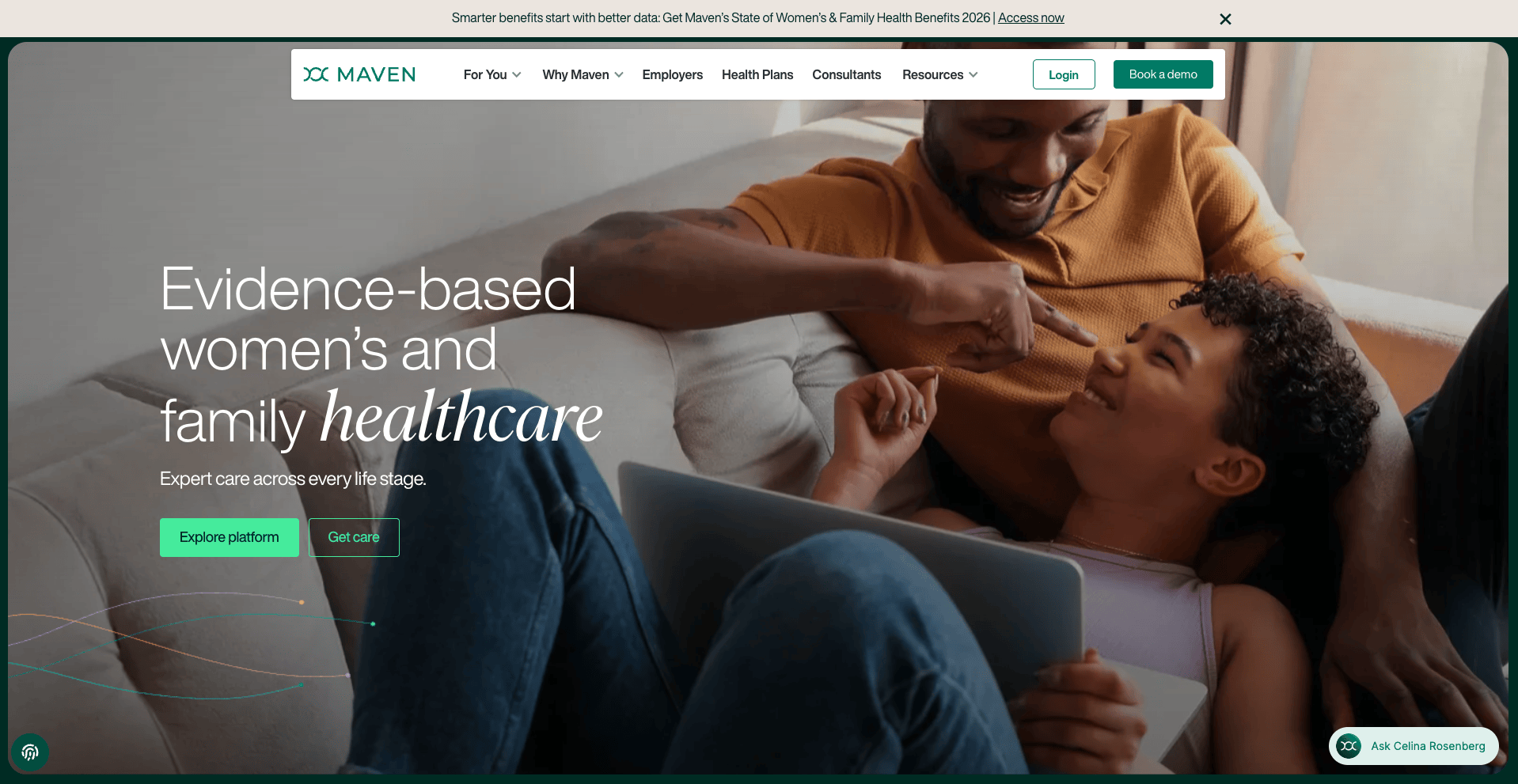
Maven Clinic uses people-centered photography and clear storytelling to reflect recognizable healthcare experiences rather than relying on generic healthcare imagery.
Why It Works
Authenticity reduces skepticism.
Visitors begin assessing trust as soon as they arrive. Generic stock photography may signal the healthcare category, but it rarely establishes credibility for a specific organization.
Maven's visual approach supports a broader trust strategy. Its imagery keeps people, clinicians, and members at the center of the experience.
What It Means for Your Site
Visitors often decide whether an organization feels credible before they read a paragraph of content.
Original photography can foster trust in ways generic imagery cannot.
5. Hartford HealthCare
Media That Reduces Uncertainty
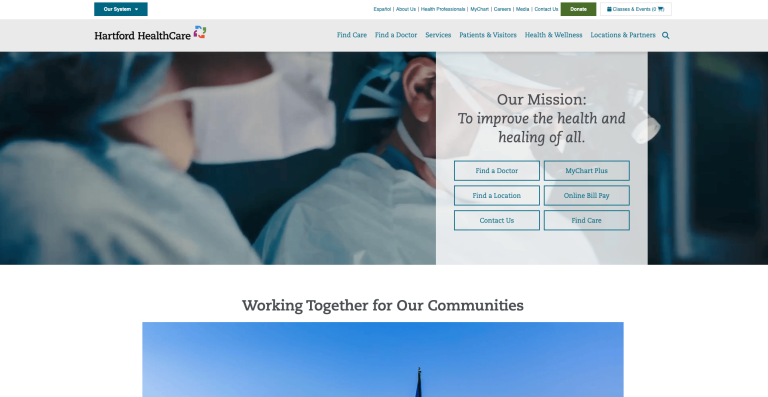
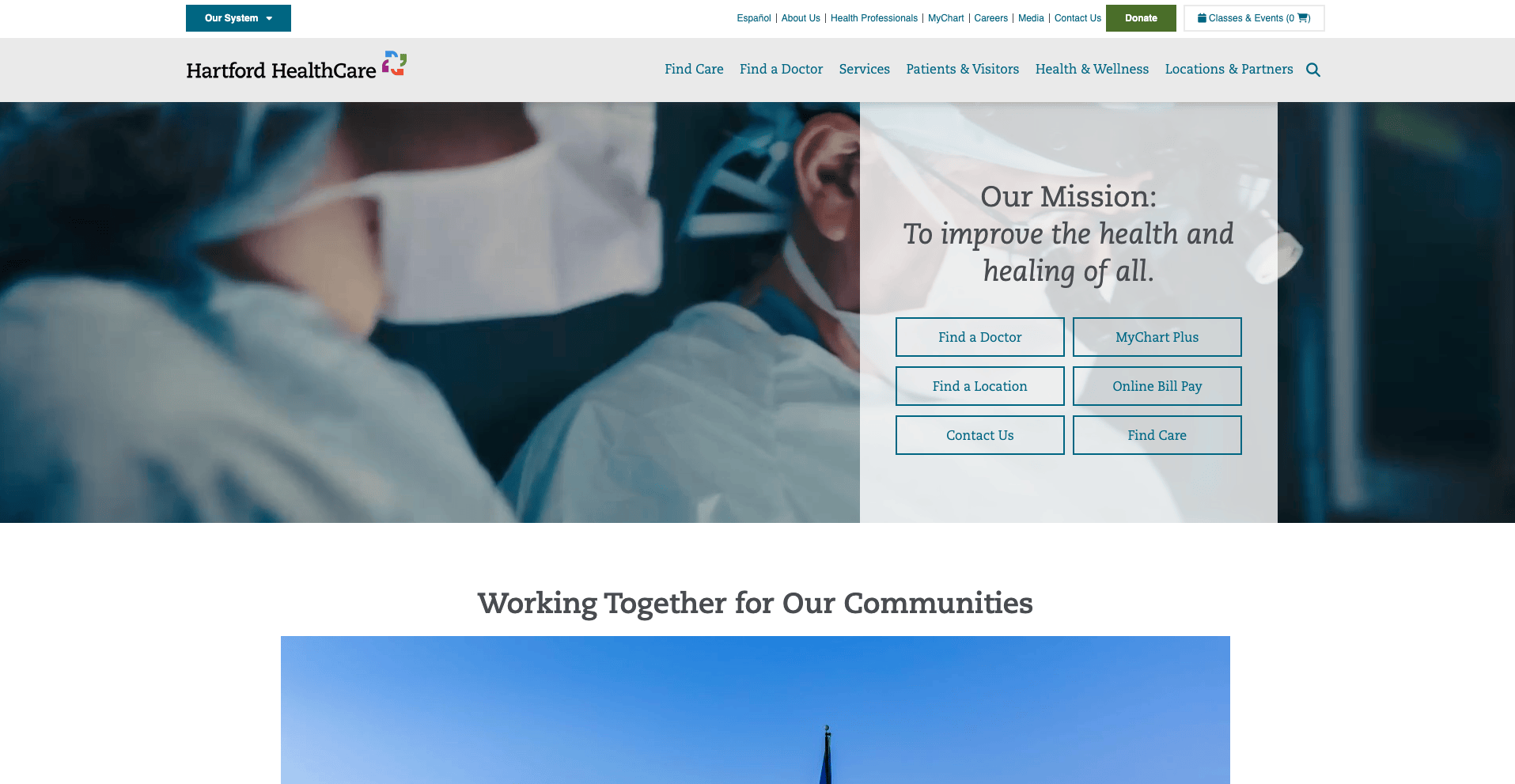
Hartford HealthCare uses video throughout its website to introduce providers, explain treatments, and help visitors understand its services and care environments.
Why It Works
Healthcare decisions often involve uncertainty.
Visitors may be evaluating a provider, facility, treatment option, or healthcare organization with little prior knowledge. Video can help them assess people, environments, and processes before taking the next step.
The value lies not in the video itself, but in the uncertainty it removes.
What It Means for Your Site
Media should serve a specific purpose.
Video can answer questions that text and still images cannot address as effectively.
6. Included Health
Managing Complexity Without Overwhelming Visitors
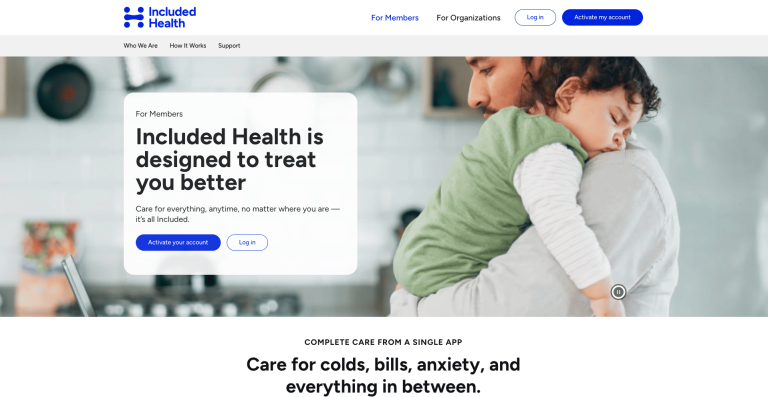
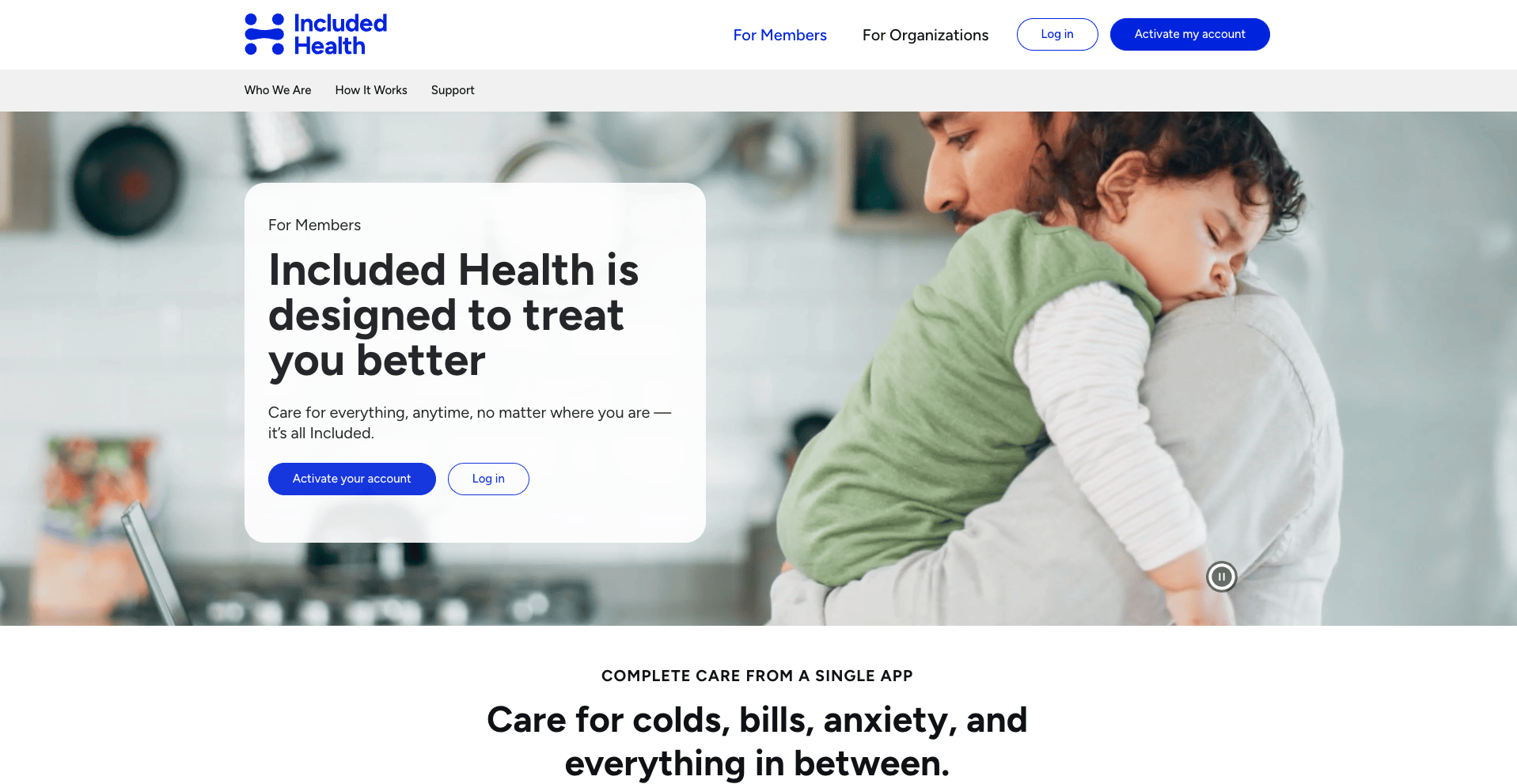
Included Health organizes its broad portfolio of healthcare navigation, advocacy, virtual care, and benefits solutions so visitors can start with high-level information and explore details as needed.
Why It Works
Complexity should be managed internally, not transferred to visitors.
Organizations usually understand their services through operational structures. Visitors understand them through their own needs and desired outcomes.
Included Health organizes information so visitors can move from a broad understanding to relevant details without becoming overwhelmed.
What It Means for Your Site
As your organization becomes more complex, its information architecture must prevent that complexity from reaching visitors.
Complexity may be inevitable. Confusion isn’t.
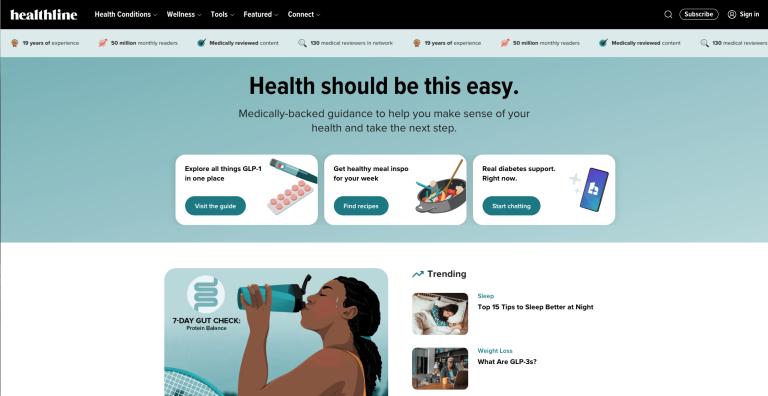
7. Healthline
Content Authority as a Publishing System
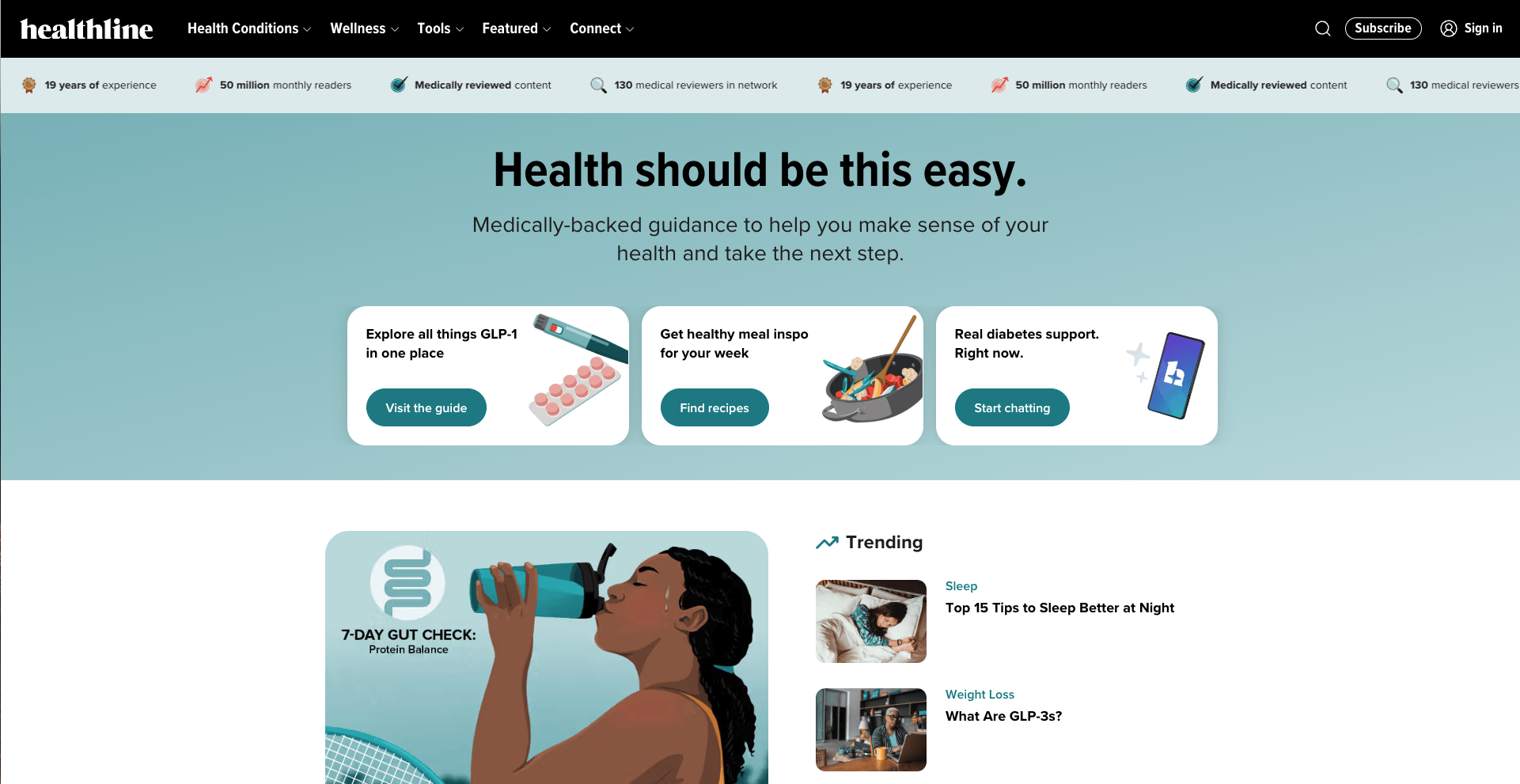
Healthline combines expert authorship, medical review, source attribution, content governance, and structured content into its publishing process.
Why It Works
Authority isn’t established by a single article. It comes from a repeatable publishing system.
Healthline makes expertise visible through reviewer credentials, editorial transparency, source citations, and page structures that show readers why the information deserves their trust.
Those signals can also help search engines and AI systems identify who created and reviewed the content, when it was updated, and which sources support it.
What It Means for Your Site
Publishing healthcare content isn’t enough.
Visitors and AI systems need evidence of who produced the content, whether it is current, and how it is reviewed.
| If a first-time visitor or AI research tool reviewed three pages on our site, what evidence would show that our expertise is credible, current, and trustworthy? |
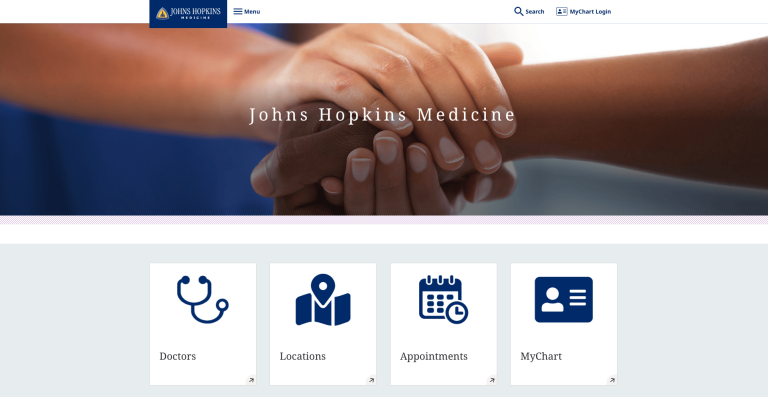
8. Johns Hopkins Medicine
Accessibility Standards at Scale
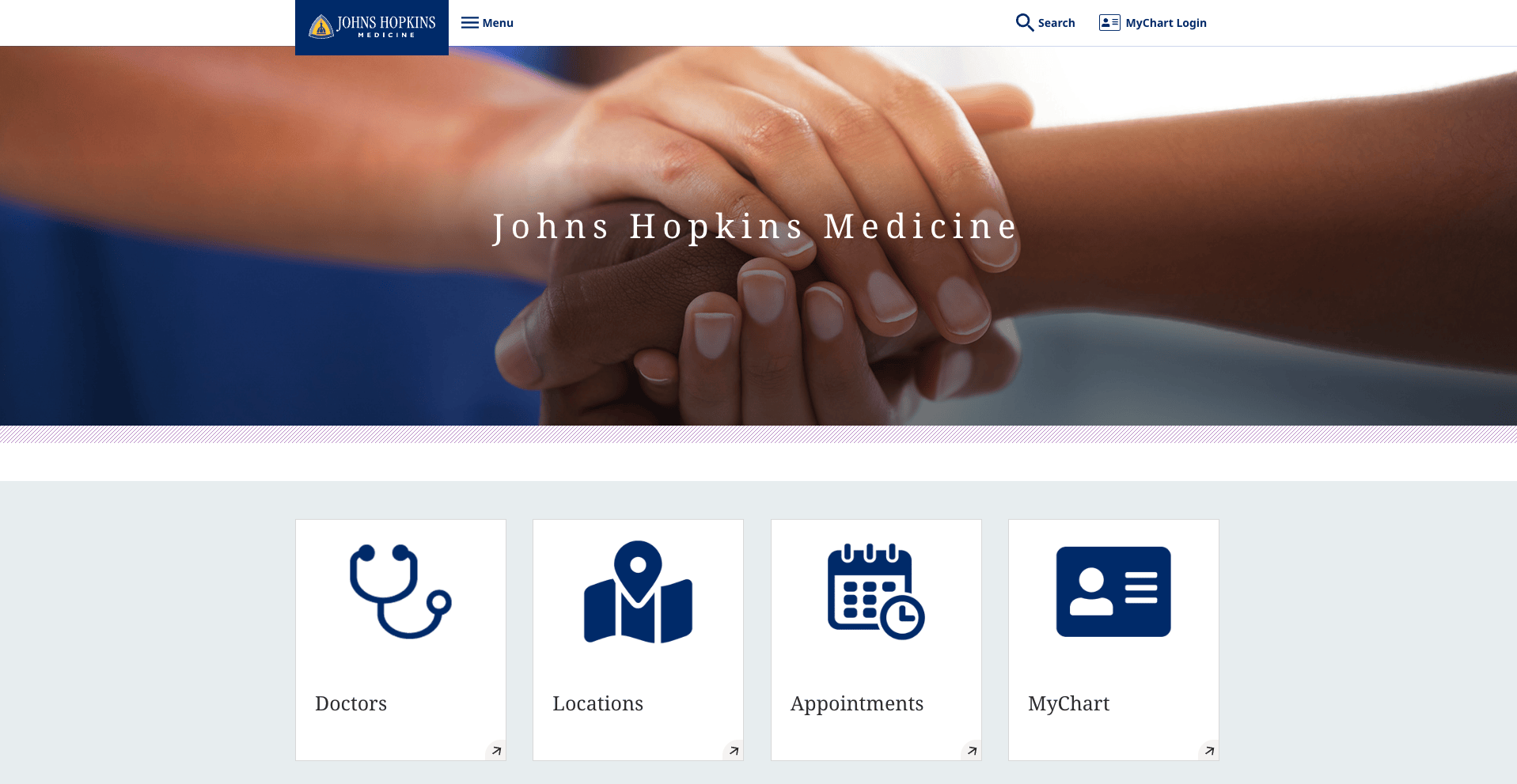
Johns Hopkins Medicine applies organization-wide web standards intended to support WCAG compliance throughout a large and complex healthcare ecosystem. Readable content structures, familiar interaction patterns, and distinct audience pathways reflect that approach.
Why It Works
Accessibility determines who can use a website effectively.
Healthcare organizations serve people with different disabilities, levels of digital literacy, devices, and support needs. Accessible design can improve usability for everyone by making information easier to find, understand, and use.
At an organization the size of Johns Hopkins, accessibility cannot depend on isolated page-level decisions. It requires standards that can be applied throughout its digital properties.
What It Means for Your Site
Accessibility should be embedded in design standards from the beginning and verified after launch.
The strongest healthcare websites are designed to be usable by the broadest possible audience.
What Separates a High-Performing Healthcare Website From an Average One?
Many healthcare websites look credible at first glance. Fewer continue to serve users and organizational goals as content, services, and audience needs evolve.
The difference rarely comes down to visual design alone. In our experience evaluating healthcare websites, the strongest performers consistently excel in four areas: audience clarity, authority signals, accessibility, and search and AI discoverability.
Audience Clarity
Healthcare organizations serve multiple audiences.
Patients, family members, referral partners, clinicians, caregivers, employers, and healthcare buyers may arrive at the same website with entirely different objectives.
Many healthcare websites organize information around internal departments and operational structures. High-performing websites organize it around the visitor's decision path.
Visitors should immediately understand which path applies to them, what information is relevant, and what to do next.
Authority Signals
Trust is central to healthcare decisions.
Visitors often evaluate organizations while making decisions with significant personal, financial, or professional consequences. They need evidence that the organization is capable, credible, and experienced.
Strong healthcare websites demonstrate authority through expert-reviewed content, clear credentials, original insights, specific proof points, source citations, and visible publication and review dates. They make expertise visible instead of expecting visitors to infer it.
Accessibility and Inclusion
Accessibility is not simply a compliance exercise.
Healthcare organizations serve diverse populations, including seniors, people with disabilities, caregivers, and visitors using assistive technologies.
The best healthcare websites treat accessibility as a design standard rather than merely a legal requirement. When accessibility is incorporated from the beginning, the experience improves for everyone.
Search and AI Discoverability
Organizations are increasingly evaluated before a visitor ever reaches their website.
Search engines remain critical, but they are no longer the only discovery mechanism. AI Overviews, ChatGPT, Perplexity, and industry research tools can shape first impressions before a click occurs.
Expert attribution, topical depth, content governance, technical performance, and well-organized information make it easier for search and AI systems to find, interpret, and assess an organization’s content.
Each healthcare website on this list demonstrates at least one of these dimensions especially well.
DBS Perspective: The four differentiators above (audience clarity, authority, accessibility, and AI discoverability) rarely fail in isolation. They tend to erode together as a site grows without a periodic structural check-in.
Suggested next step: A Digital Audit evaluates where a healthcare website stands today against exactly these dimensions, before a redesign conversation even starts.
The Eight Questions That Reveal Whether a Healthcare Website Is Actually Working
Before you brief an agency, evaluate a proposal, or make the internal case for a redesign, these questions can clarify what your website needs and whether a potential partner knows how to address it.
- If we removed every primary navigation item that a first-time visitor wouldn’t need within 30 seconds, what would remain?
- If our site contains more than 30 pages or several service lines, how easily can visitors move from a search result to the information they actually need?
- If we had to prioritize one audience and one action on our homepage above all others, who would that audience be, and what should they do next?
- Does our photography reflect how clients, patients, or partners experience our organization, or what a stock library assumes healthcare should look like?
- For each video on our site, what visitor question does it answer more effectively than copy or photography?
- If visitors arrive looking for one specific service, how many clicks, and how much reading, stand between them and the information they need?
- If a first-time visitor or AI research tool reviewed three pages on our site, what evidence would show that our expertise is credible, current, and trustworthy?
- Has our site been evaluated against current WCAG standards by a technical accessibility specialist, not just an automated browser tool?
These questions aren’t easy, and they shouldn’t be. A capable healthcare website partner will engage seriously with all eight.
How to Design a High-Performing Healthcare Website
The examples and questions throughout this article illustrate what high-performing healthcare websites have in common. The next step is applying those principles to your own organization so your next redesign improves usability, builds trust, increases search visibility, and continues to perform as your organization evolves.
Start With Visitor Decisions, Not Your Organizational Structure
Patients, caregivers, referral partners, employers, clinicians, and healthcare buyers arrive with different goals.
Most healthcare websites are organized around internal departments because that structure already exists within the organization. Effective healthcare website design starts by identifying what visitors need to accomplish and organizing the experience around those decisions.
When evaluating a redesign proposal, ask how the information architecture was developed and whether it reflects visitor behavior or an internal organizational chart.
Plan for Search and AI Discoverability From the Start
Search visibility isn't something you add after launch. Decisions about information architecture, schema markup, internal linking, page structure, and technical performance affect how easily search engines and AI systems can find and interpret your content.
Planning for these elements from the beginning is more effective than retrofitting them after the site has been built.
Treat Accessibility as a Design Standard
Healthcare organizations serve broad populations, including older adults, caregivers, people with disabilities, and visitors using assistive technologies. Incorporating accessibility into navigation, content, forms, and interactions makes the website usable by a wider range of people.
Accessible design also tends to produce more meaningful page structures, descriptive labels, and predictable interactions. These practices can make content easier for search engines and automated tools to interpret.
Beyond WCAG compliance, healthcare organizations should evaluate privacy and regulatory requirements early in the planning process.
Depending on the organization and the data collected, HIPAA and other privacy requirements may affect forms, patient communications, third-party integrations, analytics, and tracking technologies. These decisions belong in the planning process rather than a post-launch compliance review.
Use Content to Demonstrate Expertise
Content should do more than describe services. It should answer questions, reduce uncertainty, and demonstrate knowledge.
Expert review processes, clinical attribution, source transparency, and structured educational content make expertise visible while giving search engines and AI systems more context about who produced and reviewed the information.
Ask whether your content strategy is designed to showcase expertise or simply fill pages.
Give Every Visitor a Clear Next Step
The problem isn’t always a lack of calls to action. Often, the requested action does not match the visitor’s intent.
Someone researching treatment options may not be ready to schedule an appointment. A referral partner may need different information than a family member. A caregiver candidate may have entirely different objectives than a prospective client.
Effective healthcare website design aligns each next step with visitor intent and makes the appropriate path easy to find.
What This Means for Your Site
Most underperforming healthcare websites are not the result of poor decisions.
They are usually the result of years of reasonable decisions made independently. New services were added, navigation expanded, content accumulated, and stakeholders requested exceptions as priorities shifted. Over time, the experience became more difficult to understand from the visitor's perspective.
Those accumulated choices affect how prospective patients, referral partners, caregivers, employees, and buyers perceive the organization. When the site accurately reflects the organization's capabilities, expertise, and value, it cultivates confidence. When it does not, the disconnect grows.
If you recognized your organization's website in the examples or questions above, you have a starting point for deciding what needs to change and why.
DBS approaches healthcare website design as a business challenge that connects information architecture, accessibility, content strategy, search visibility, and organizational goals.
Ready to Evaluate Your Healthcare Website?
Explore the DBS healthcare portfolio to see how these principles have been applied in work for healthcare organizations and related industries.
Talk with a DBS strategist about where your website is today, what it needs to accomplish, and what it will take to get there.
Frequently Asked Questions
An effective healthcare website does more than look professional. It helps patients, caregivers, referral partners, and healthcare buyers quickly find the information they need, establishes trust through credible content, and makes the next appropriate action obvious. Strong healthcare websites also prioritize accessibility, technical performance, and search visibility.
Look beyond visual design. Evaluate how each website organizes information, serves different audiences, demonstrates expertise, simplifies navigation, supports accessibility, and helps visitors complete important tasks.
Healthcare organizations serve diverse audiences, including older adults, caregivers, people with disabilities, and visitors using assistive technologies. Accessible websites make information easier for people to find, understand, and use.
Accessibility practices like semantic HTML, descriptive labels, and logical heading structures can also make content easier for automated systems to interpret.
Website design influences much more than appearance. Information architecture, semantic HTML, page structure, internal linking, technical performance, schema markup, and content organization all affect whether and how search engines and AI systems can discover, interpret, and surface a healthcare organization’s content.
There is no fixed timeline. Rather than redesigning on a schedule, healthcare organizations should regularly evaluate whether their website still supports user needs, reflects current services, meets accessibility standards, performs well in search, and aligns with current business objectives.
In many cases, targeted improvements can resolve the most important problems before a complete redesign becomes necessary.
Related Posts